Free & Self-Hosted
Password Manager

A team password manager that runs entirely on your own server — no Docker, no command line, no YAML. Double-click the installer, and you're running in under two minutes.

Free plan: up to 15 users, 30 passwords. Unlimited plan: $79/year, unlimited everything.
🔒 Zero-knowledge encryption 🏠 Data never leaves your server 🇮🇳 Made in India 🆕 New — built and actively maintained
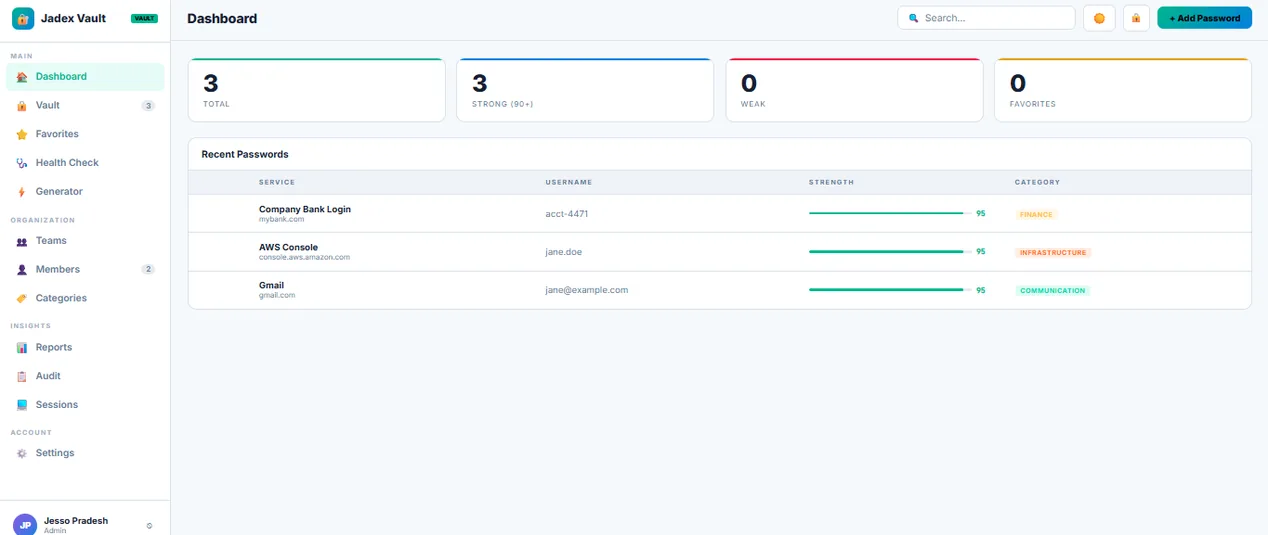
Jadex Vault dashboard showing password list, security score, and category breakdown
🪟

Windows 10 / 11 / Server

Single .exe installer. No dependencies, no Docker Desktop required.

🐧

Debian / Ubuntu

Standard .deb package with a systemd service — sudo dpkg -i and go.

See it before you install it.

Real screenshots of the real product — nothing staged.

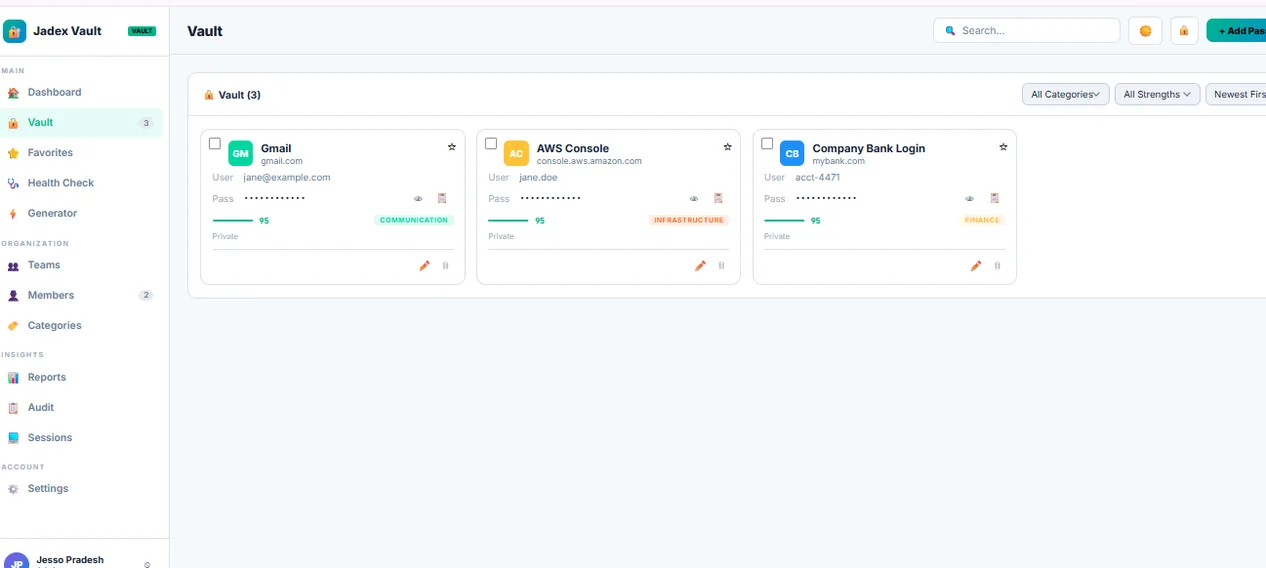
Vault grid showing password cards with strength meters and categories

Your whole vault, at a glance.

Card-based layout with live strength scoring, category tags, and one-click reveal/copy — no digging through a spreadsheet-style list.

  • Strength score on every entry
  • Filter by category, team, or strength
  • Bulk move, favorite, or delete
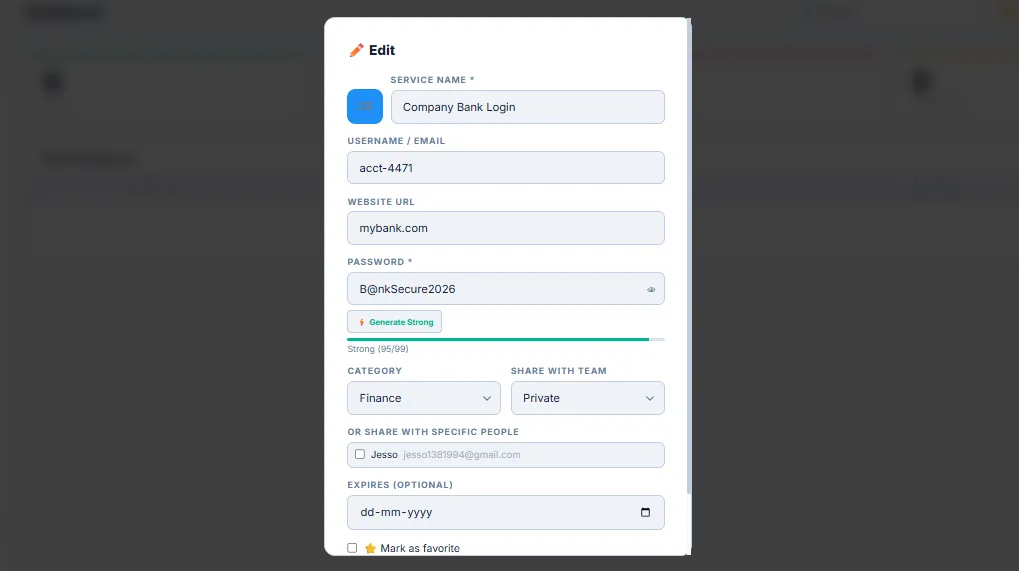
Add/edit password modal with category and team sharing options

Add or edit in seconds.

Generate a strong password inline, pick a category, and share it with a team or specific people — all from one modal.

  • Built-in strong password generator
  • Custom, editable categories
  • Share with a team or named individuals
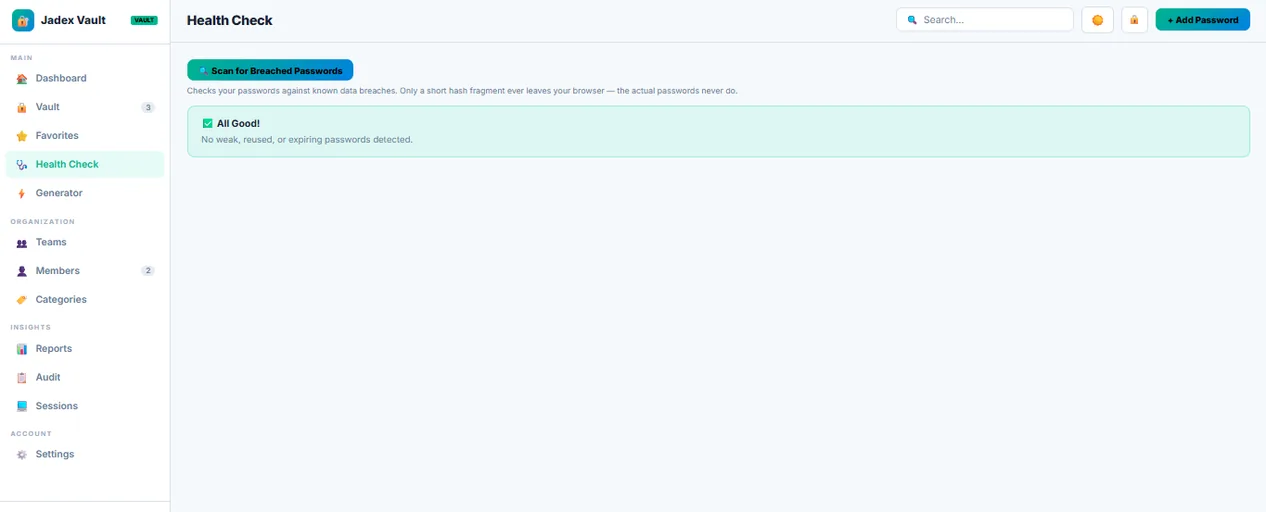
Health check panel scanning for breached passwords

Know before you're breached.

Every password can be checked against known data breaches using k-anonymity — only a short hash fragment ever leaves the browser, never the password itself.

  • Breach detection, privacy-preserving
  • Weak/reused password flags
  • Security score on your Reports dashboard
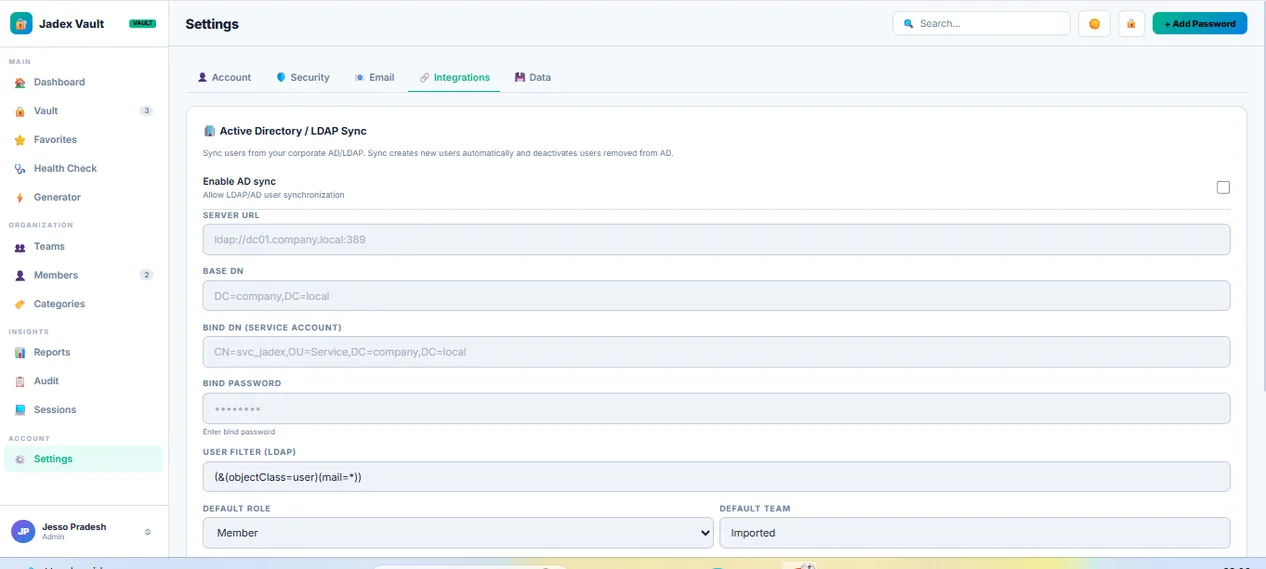
Settings panel showing Active Directory / LDAP sync configuration

Enterprise features, included.

LDAP/Active Directory sync, webhooks, email security alerts, and audit export — usually locked behind an "Enterprise" pricing tier elsewhere. Here, it's just part of the Unlimited plan.

  • AD/LDAP user sync
  • Webhooks (Slack, Discord, Zapier)
  • Full audit log, exportable
🔐

Zero-Knowledge Encryption

Optional client-side encryption using your master password — the server never sees plaintext, even for team-shared entries.

🙋

Access Requests

A teammate requests a password they don't have; an admin approves it once. They get a one-time QR code or emailed link — never plaintext in chat.

🏷️

Custom Categories

Organize your vault your way — add, rename, or delete categories from a dedicated panel, not a fixed dropdown.

👥

Teams & Individual Sharing

Share by team or with specific people. The same account can be signed in on multiple devices at once.

🔑

Passkeys & 2FA

WebAuthn passkey sign-in and TOTP two-factor authentication, both supported out of the box.

📥

Migrate in Minutes

Import directly from LastPass, 1Password, Bitwarden, Dashlane, Keeper, or plain CSV.

⬇ Download for Windows / Linux

How it actually stacks up.

Not marketing claims — checked against public pricing and reviews.

Jadex VaultBitwarden1PasswordZoho VaultDashlaneKeeper
Self-hosted
Install methodDouble-click installerDocker containerCloud onlyCloud onlyCloud onlyCloud only
Pricing (per user/mo, team)$0 flat*$4$7.99$0.90~$4.20~$2
LDAP/AD sync✓ IncludedEnterprise onlyEnterprise onlyEnterprise onlyBusiness+ onlyBusiness+ only
Zero-knowledge encryption
One-time password share (QR/email)
Passkey (WebAuthn) sign-in
Breach/leak checking
Browser extension autofill
Full audit log export✓ IncludedEnterprise onlyBusiness+ onlyEnterprise onlyBusiness+ onlyBusiness+ only

*Free plan up to 15 users; $79/year flat for unlimited users on the Unlimited plan — no per-user pricing. Competitor pricing shown is publicly listed team/business tier pricing as of 2026 and may vary by region or promotion.

Frequently asked questions.

Where is my data stored?

On your own server — Windows or Linux, on-prem or a VPS you control. Nothing is synced to Jadex's infrastructure by default.

What does "zero-knowledge" actually mean here?

When enabled, encryption keys are derived from your master password on your device. The server stores only encrypted blobs it cannot read — not even an admin with database access can see plaintext passwords for zero-knowledge entries.

Do I need Docker or a command line?

No. The Windows installer is a standard .exe with a graphical setup wizard. The Linux package is a standard .deb with a systemd service — no containers required.

What happens if I outgrow the Free plan?

Upgrade in-app with a license key any time — your existing data, teams, and settings are preserved.